
Account Creation Guide
- Please click “Create new account”.
Enter your email address and username, then click the [Create new account] button.
Your username will be used to log in when you register for the event.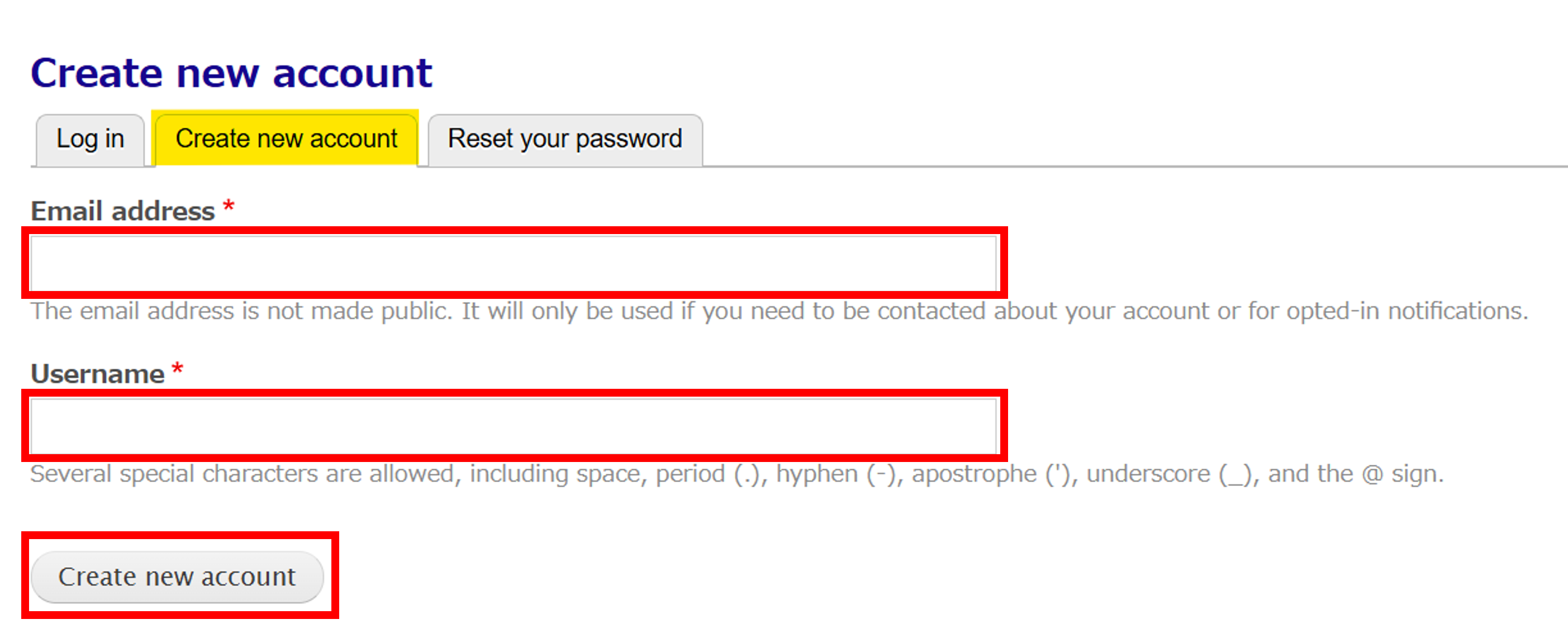
A message like the one below will appear, and a registration guide email will be sent to the email address you provided.

Check the email in your inbox with the subject line “Account details for (Username) at (registration site name)” and open the password setup URL in your browser.
If your email address is incorrect, you will not receive this email. Please double-check the email address you used when registering. Please also check your spam folder, as this email may have been marked as spam.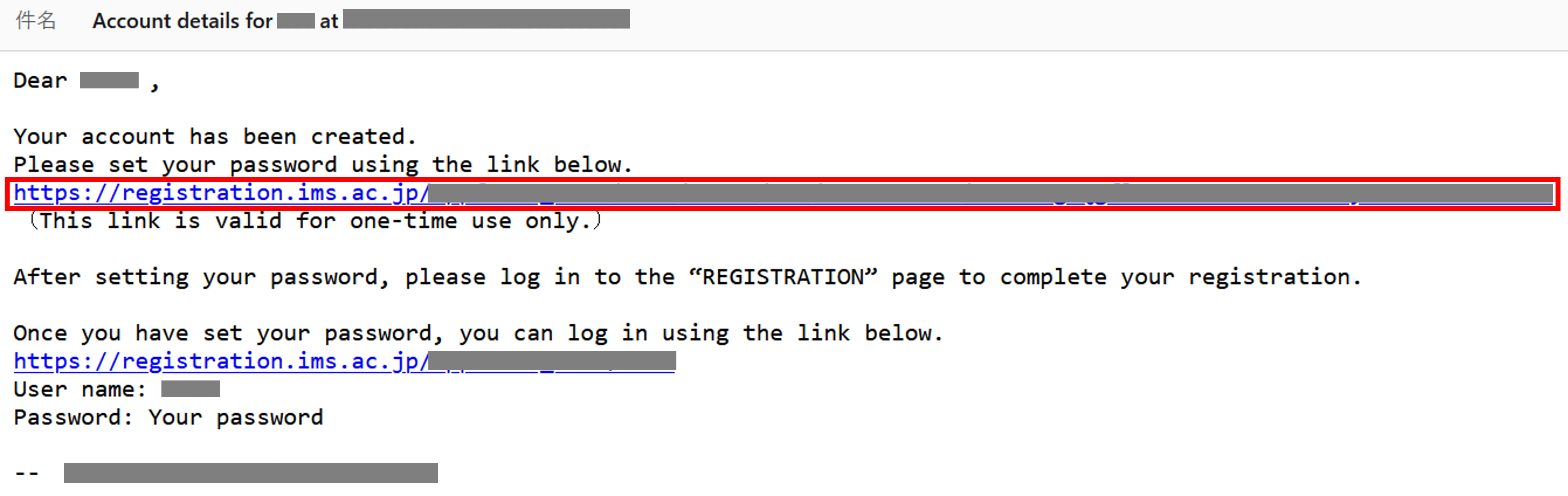
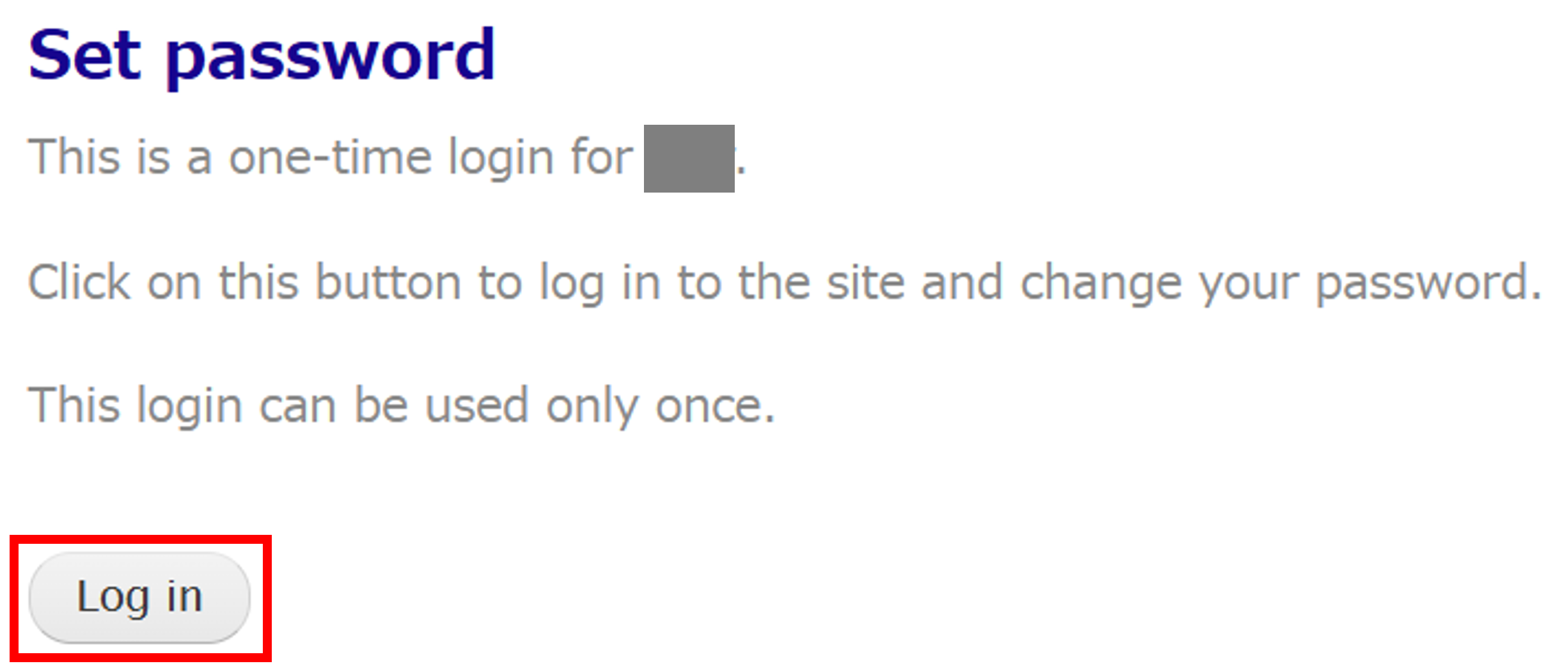
To set a password, click the [Log in] button.
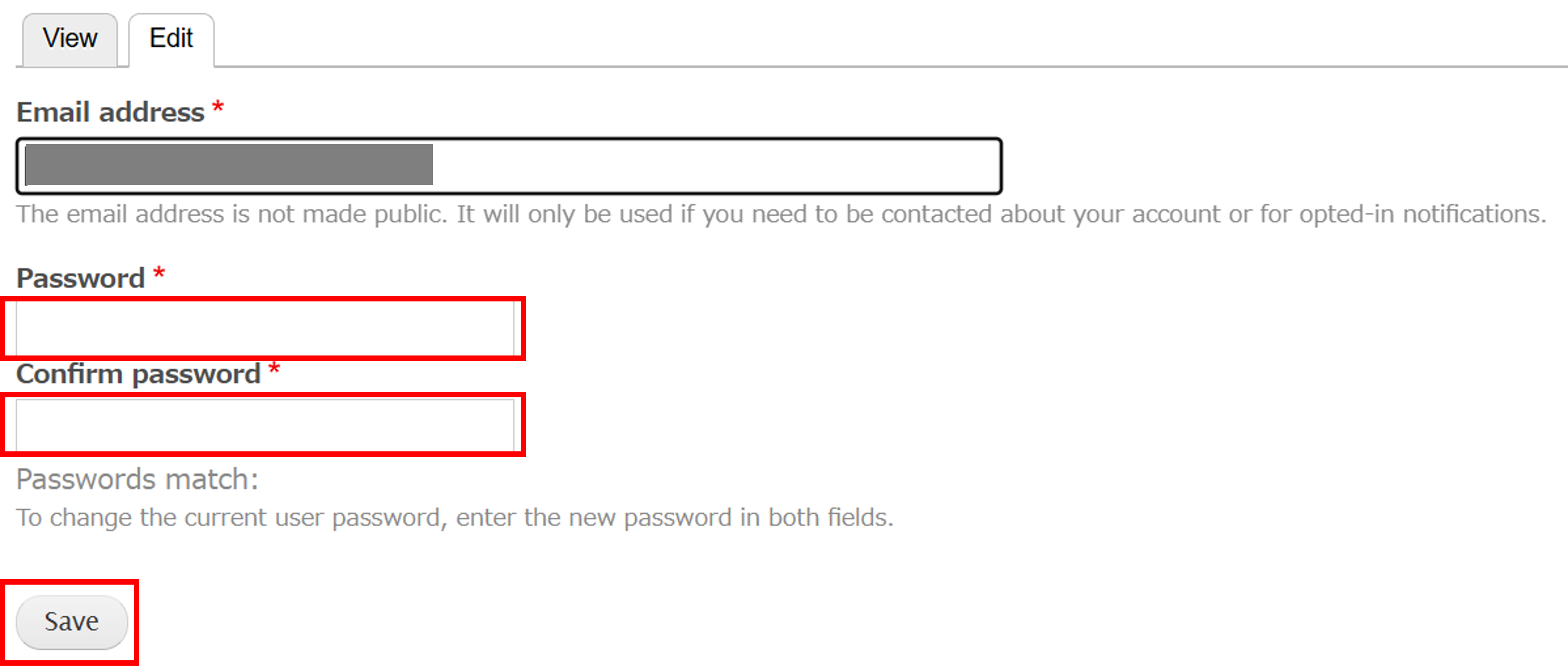
Enter your password. Click the [Save] button.
The following message will appear, indicating that your password has been set.
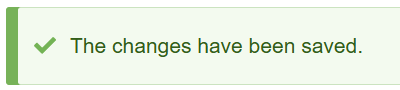
Your account has now been created. At the same time, you will be redirected to the “Registration” page.
⚠️ Your registration is not complete yet. Please log in to complete your registration.